
Recover your deleted photos from your phone: the best apps!
Who hasn't made a mistake at some point and, as a result, lost valuable data on their smartphone? To avoid these incidents, apps have been created specifically designed to recover deleted photos.
Today, with digitalization, we rarely print our photos. Everything is stored on our smartphones: a child's first steps, special moments, diplomas, and much more.
However, not everyone backs up their images, making them vulnerable to accidental deletion, whether due to human error or device failures.
Therefore, at some point, you might need an app to recover your deleted photos. In this article, we'll show you a selection of the best apps for this purpose and how to use them.
DiskDigger
One of the most effective applications for recovering deleted files is DiskDiggerThis tool allows you to restore deleted photos, videos, and images from both your phone's internal memory and SD cards. What makes DiskDigger especially powerful is its ability to recover files even after the device has been formatted.
Once the images are recovered, you can choose to send them to Dropbox, Google Drive, or even your email. For optimal performance, DiskDigger may require root permissions (especially on Android) or perform a thumbnail scan. If you're looking for more features, you can opt for DiskDigger Pro.
Available on Google Play.


DigDeep Image Recovery
DigDeep Image Recovery It's an excellent option for recovering images in formats like PNG, JPEG, or JPG. This application scans the device's internal memory for deleted images, allowing you to restore them. You can also recover images from SD cards by selecting that option within the application.
Once the scan is complete, you simply select the images you wish to recover. Unlike DiskDigger, DigDeep It does not require root permissions, which makes the recovery process a little less accurate.
Available on Google Play.

Undeleter Data Recovery
Undeleter Data Recovery It not only allows you to recover deleted photos, but also other types of deleted files. This application scans both the device's operating system and the SD card for deleted files, making it a versatile option. Root access can improve recovery effectiveness, although it's not strictly necessary.
It is important to note that the application contains several advertisements, which are the main source of income for the developers.
Available on Google Play.
Dumpster
Dumpster It functions as an alternative recycle bin for your smartphone. Unlike other apps, Dumpster saves deleted files, allowing you to easily recover them as long as the app was installed before the file was deleted. It's important to note that Dumpster It cannot recover files deleted before its installation.
If you wish to use cloud storage to store your recovered files, you can opt for the premium version.
Available on Google Play.

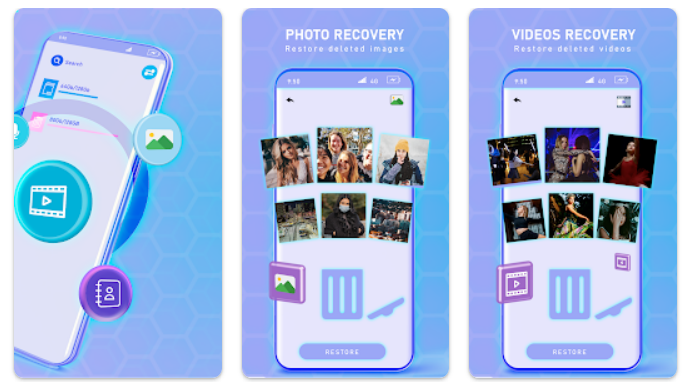
Photo Recovery
Recover Deleted Photos It's a free app that helps you recover lost, hidden, or deleted images from your device. It's easy to use and provides a quick solution for restoring photos that have been accidentally or mistakenly deleted.
Available on Google Play.

How to recover deleted photos on iPhone
There are several methods to recover deleted photos on an iPhone or iPad. Some require a backup, but there are quick solutions.
"Deleted" folder on iPhone
When you delete a photo on iOS, it's moved to the "Deleted" folder. You can access it for 30 days. After that, the photo will be permanently deleted.

iCloud backup
If you can't find your photo in the "Deleted" folder, you may need to restore a previous backup.

Frequently Asked Questions
Q1: Is it possible to recover deleted photos from my phone?
A: Yes, it's possible to recover deleted photos from your phone. There are several apps and programs that can help you recover deleted images.
Q2: What are some apps I can use to recover deleted photos?
A: Some popular applications include “Dr. Fone”, “EaseUS MobiSaver” and “DiskDigger”These apps can help you recover deleted photos from your device.
Q3: How do these apps work?
A: These apps scan your phone's memory for data marked as deleted. If the data hasn't been overwritten, the app may be able to recover it.
Q4: Do I need root access to use these apps?
A: Some apps require root access to recover deleted photos, while others can work without it. It's important to check the app's requirements before using it.
Q5: Is there any way to prevent the loss of photographs in the future?
A: Yes, a good practice is to regularly back up your photos and other important data. You can use cloud services like Google Photos either iCloud to automatically back up your photos.